
Your instant PostgreSQL companion
Your Instant PostgreSQL Companion
⛈️ @supabase invited me to participate in their Content Storm, so here's a detailed article about deploying a database generated with database.build on Supabase.
New Release: database.build v2
During Supabase's Launch Week 13, they unveiled the new version of database.build. This revolutionary tool generates database schemas (PostgreSQL) directly from natural language instructions, powered by AI. And that's not all!
Key Features of database.build:
- Automatic Schema and Migration Generation: Just describe what you want to create, and the AI will generate the schema and required migrations.
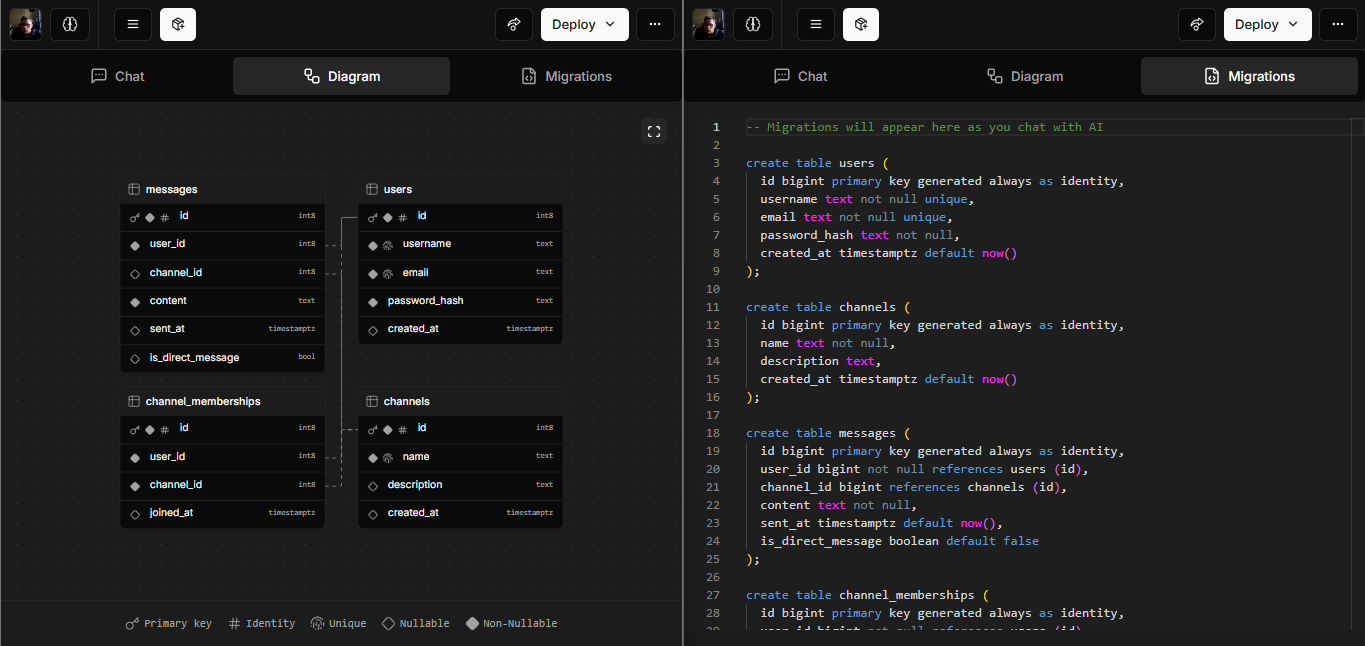
Easy Deployment to Supabase (AWS coming soon)
Once you're happy with your database, deploy it to Supabase with a single click.
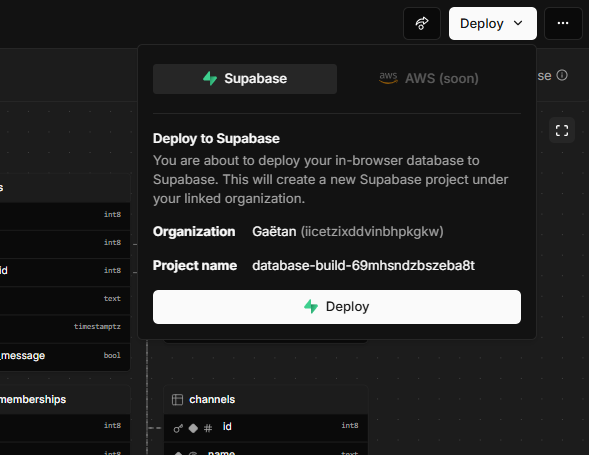
After clicking, you'll see a sleek waiting screen with a friendly message.

Next, a dialog will provide all the connection details for your PostgreSQL database deployed on Supabase.
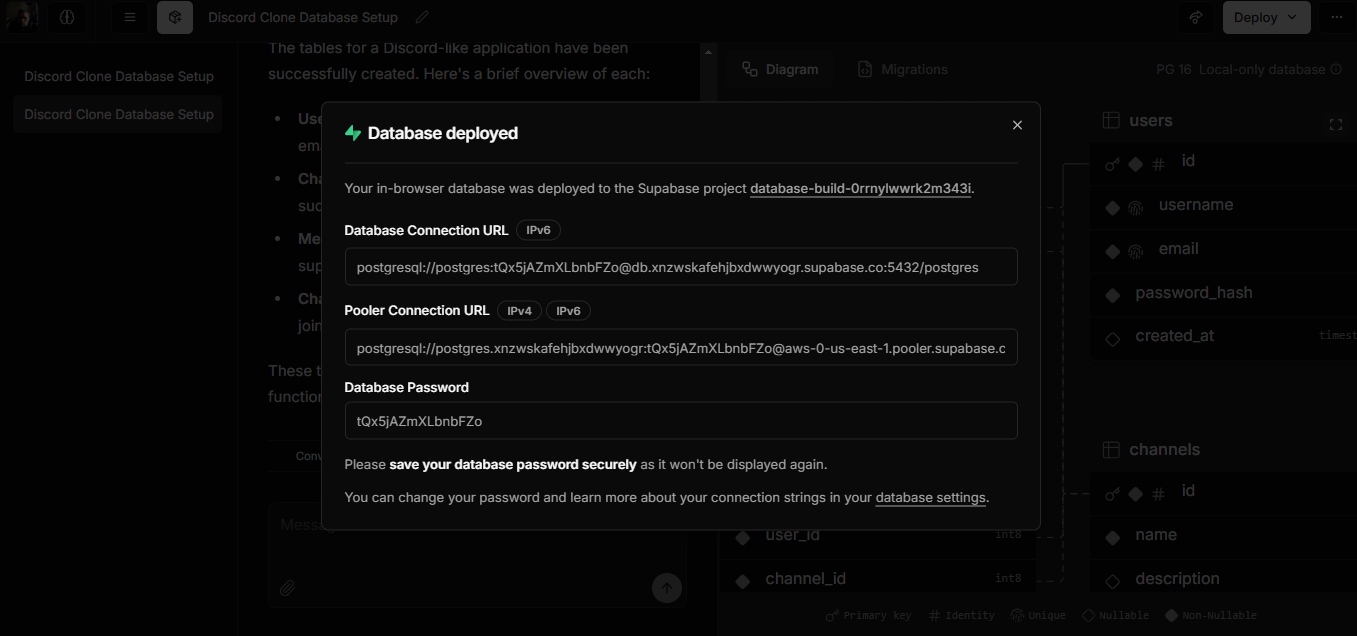
And as shown above, you can redeploy your database to Supabase anytime with just one click on "Redeploy."
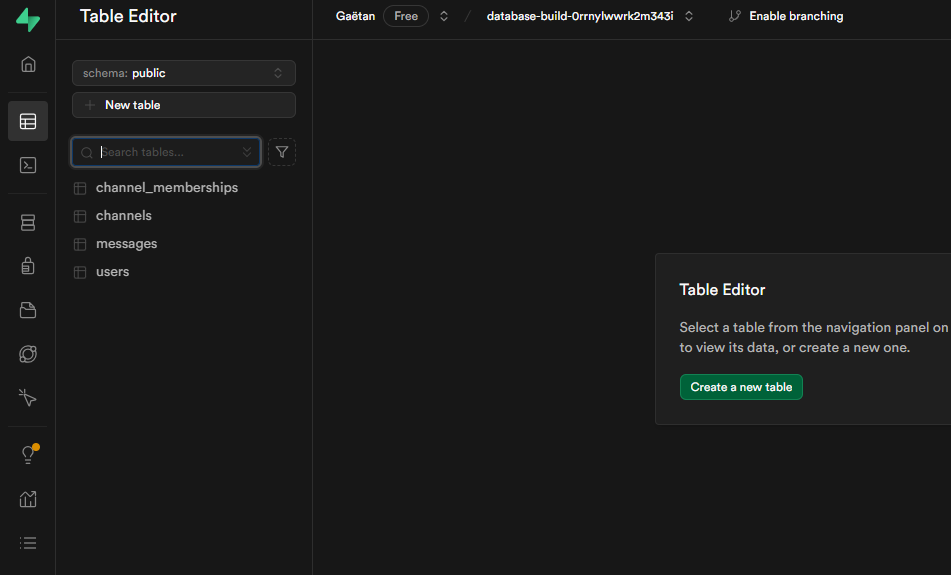
On your Supabase dashboard, you'll have a new project with your deployed database:
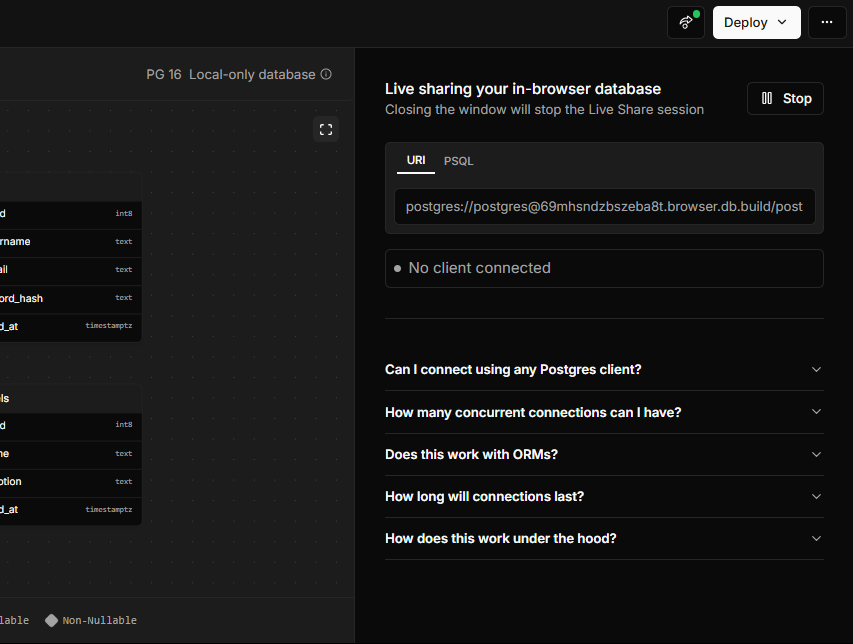
- Live Share: Connect to your PGlite database in real-time from external tools like Prisma Studio or your favorite IDE. Perfect for collaboration or direct testing with PostgreSQL tools.
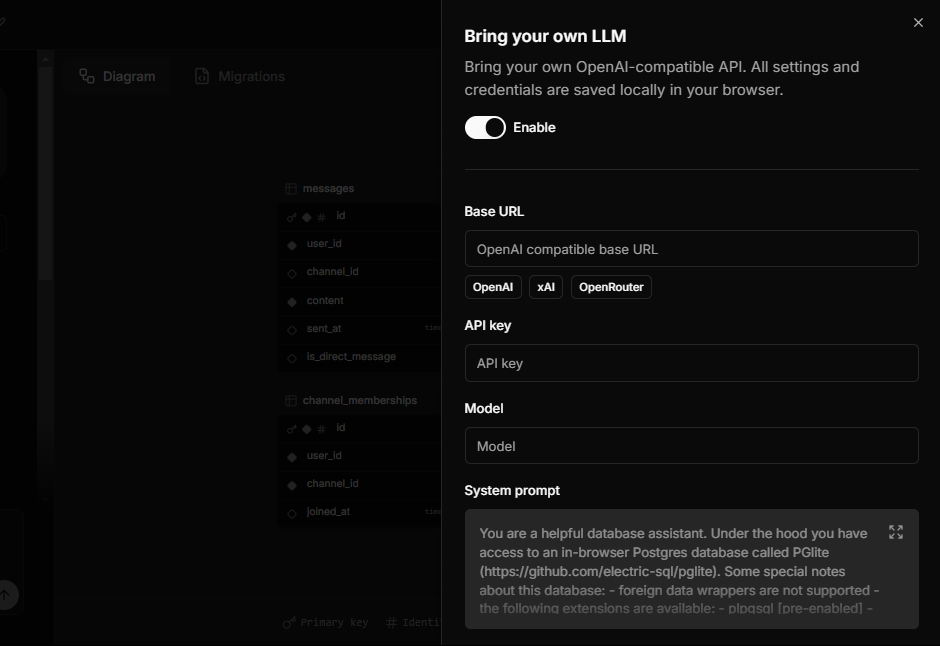
- Bring Your Own LLM: Use your own LLM model compatible with the OpenAI API to personalize tool interactions. This improves suggestions or adheres to strict organizational policies.
Other notable features of database.build v2:
- Mobile compatibility: Whether on a computer or phone, the interface is optimized for all devices.
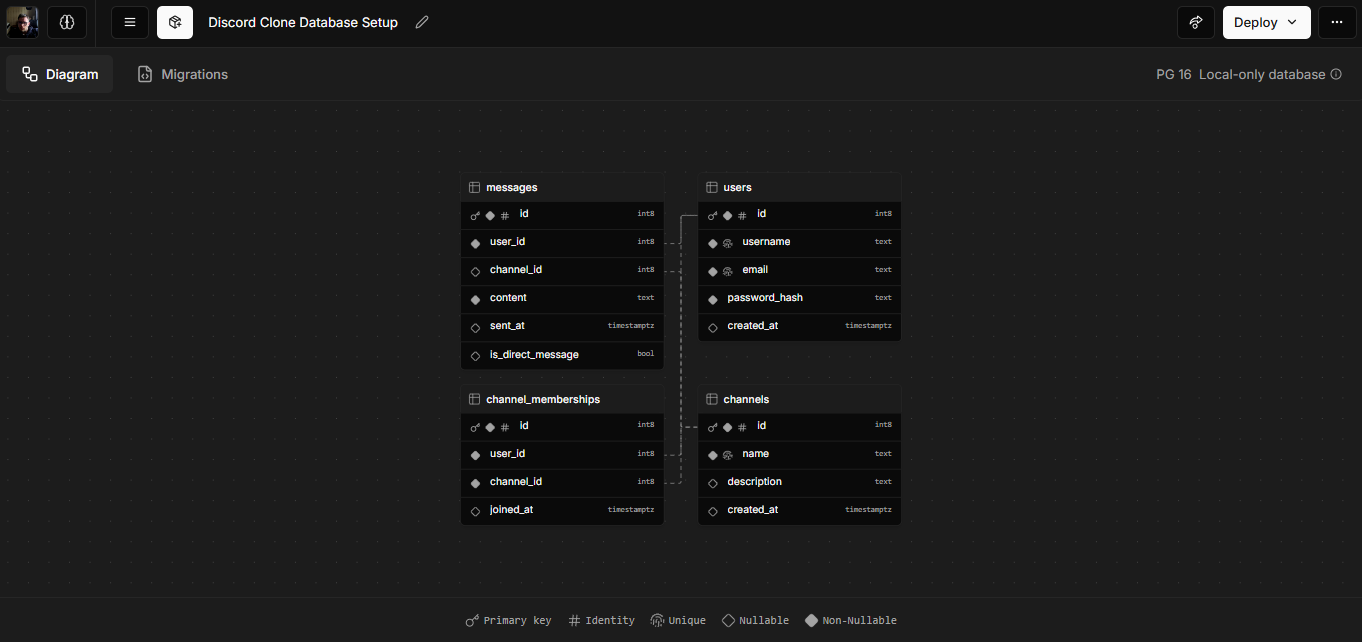
An (Even More) Elegant Schema Visualizer
Like Supabase, database.build offers an interactive database schema visualizer. It’s a great way to view relationships and understand your structure.
The old visualizer was already impressive, but the new version is even more elegant and intuitive.
🚀 Simplified Database Deployment
Deploying a database created with database.build is very straightforward. Here are the available options:
-
Automatic Deployment:
Click theDeploybutton, confirm, and your database will be deployed to a Supabase project. You need to be logged into your Supabase account beforehand. -
Manual Download:
If you prefer to host the database yourself, download the generated.sqlfile using the built-in pg_dump feature. Import this file into your PostgreSQL server.
Technical Highlights:
-
CORS Support and Service Workers: LLM requests are handled directly from the browser without an intermediary server. Your data stays private and under control.
-
Easy Integration with External Tools: Export or connect your database to tools like
pg_dump, ORMs, or IDEs to maximize productivity. -
Improved Local Models (Ollama): While local models like Ollama are compatible, their performance is currently limited for certain tasks. However, their rapid evolution makes them a promising option for the future.
Please Supabase.
Moreover, if you combine this service with v0.dev, you will increase your development speed from a simple idea to a complete application within a few hours, or even 30 minutes could be enough.
Supabase PLEASE, work with Vercel to integrate database.build with v0.dev so that by creating an app, it can also generate a database and have an ULTRA-complete app builder!
Conclusion
Everything Supabase has introduced with database.build v2 - BYO-LLM, Live Share, mobile support, one-click deployments - reflects a strong commitment to simplifying database management, even for beginner developers with little SQL experience.
You can explore more, contribute, or check out the project on their GitHub: database-build, which is open-source.
So, did I convince you? Try database.build and start building the next big thing over the weekend – or maybe even faster, if we're being honest!
Thanks to @supabase for the invitation to participate in their Content Storm!